
Full Sessions, Without the Small-File Mess
When a client asks for the whole session, you’re probably uploading it somewhere like Frame.io. The RAW files usually aren’t the problem. It’s all the little files inside each CaptureOne folder: settings, thumbnails, proxies, and everything else Capture One creates along the way.
A single shoot can have thousands of these tiny files, and upload services handle each one individually. What should be a twenty-minute upload can drag on for hours, sometimes finishing with a handful of failed files you have to track down.
The easiest fix is to zip each CaptureOne folder before uploading. Instead of thousands of individual files, you get one CaptureOne.zip per folder, with all your edits and settings intact. Whoever gets the session just unzips them before opening it in Capture One. It helps when you’re moving jobs to a server or NAS, or archiving older work, too. All those small files can slow things down there as well.
I used to do this with a Terminal one-liner. It worked, but there was no way to see what was happening. If something failed halfway through, I couldn’t easily tell which folders were done and which weren’t.
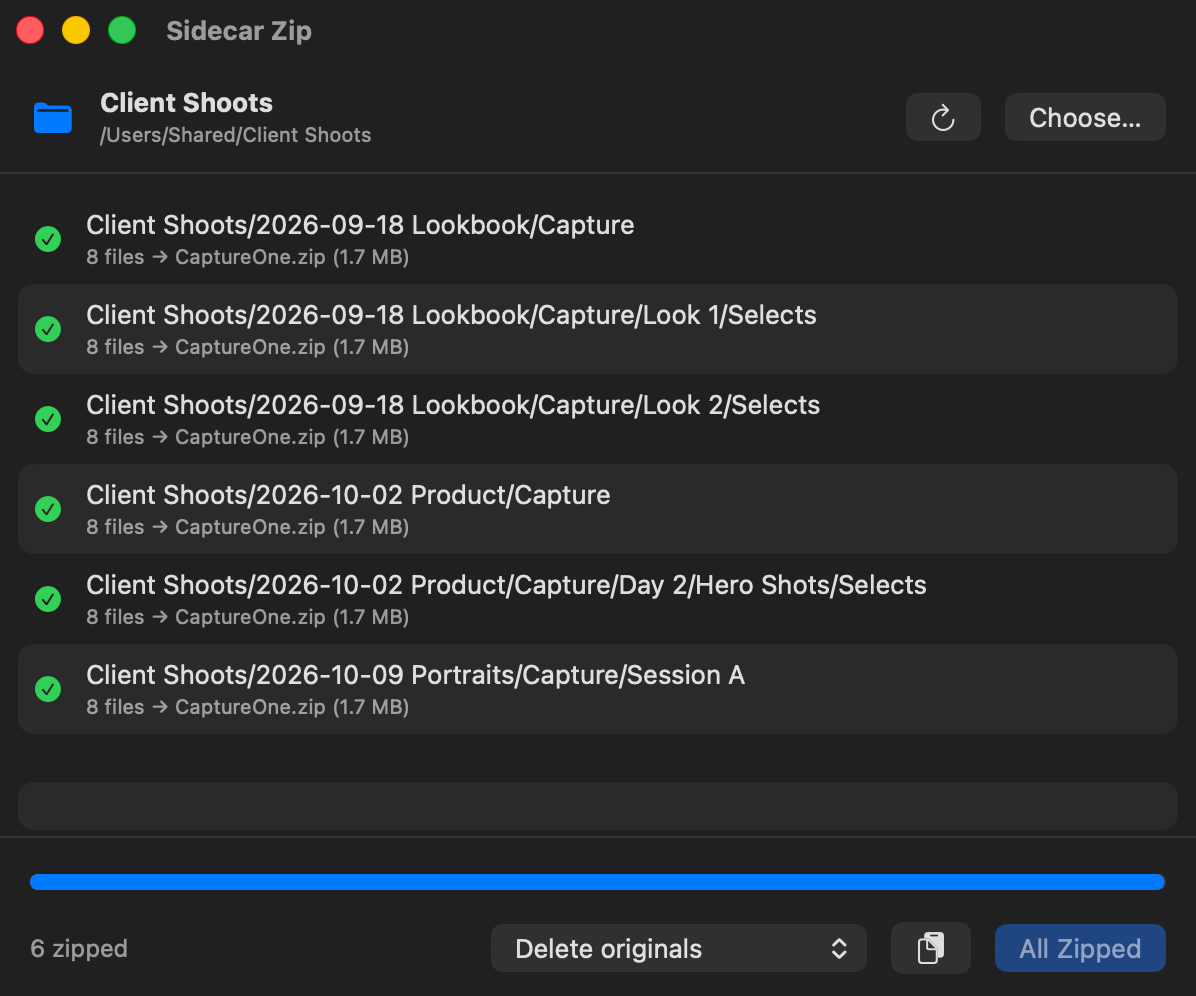
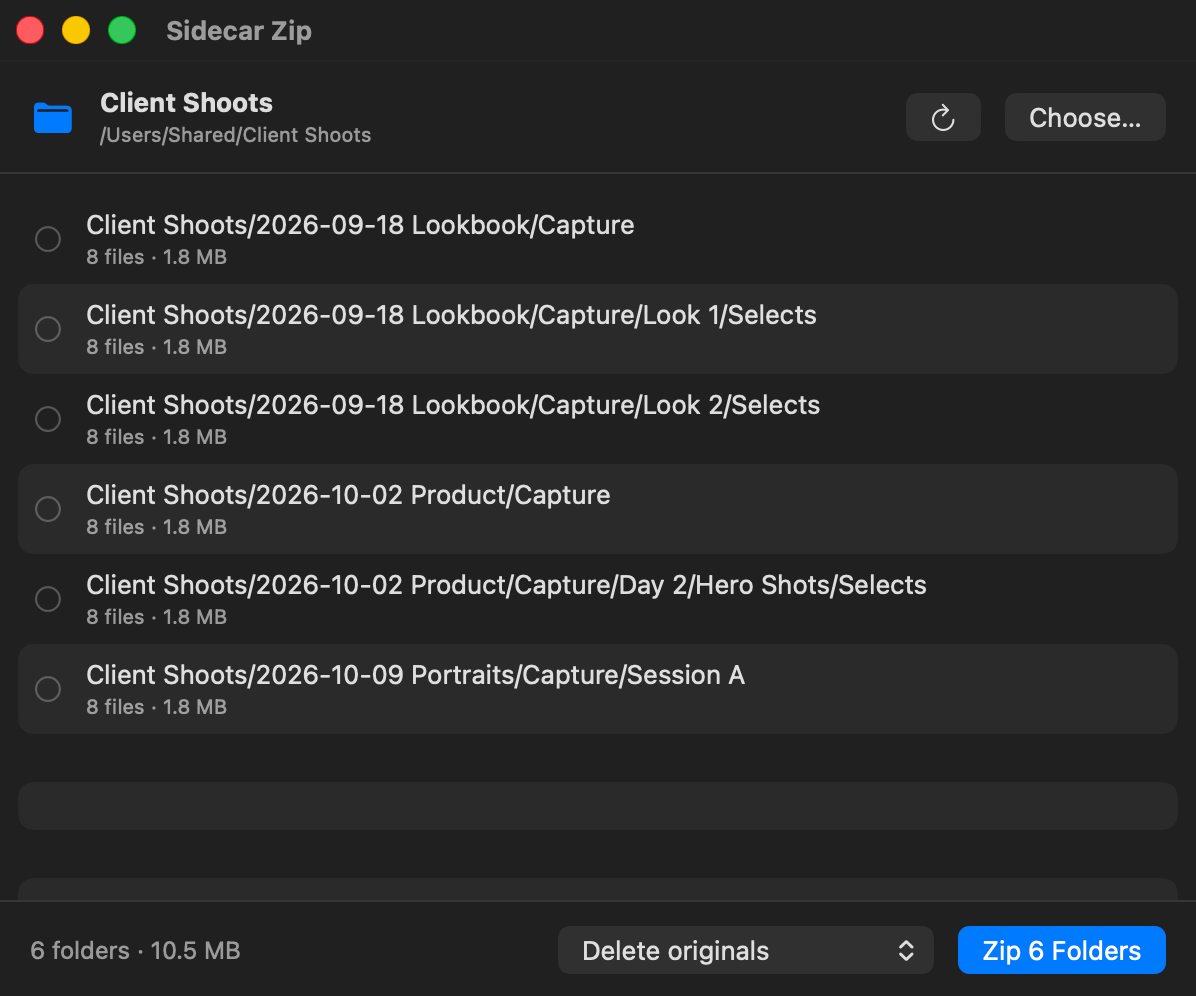
So I took that original script and built Capture One Sidecar Zip around it. It does the same job, but with a simple interface that lets you see what’s happening. Drop in a session or an entire drive, see all the CaptureOne folders it finds, and hit Zip.
It’s free and open source.
How It Works
Run it on a session right before you upload it, or on an entire archive drive. Nothing changes until you hit Zip.
01
Scan
Digs through every subfolder for CaptureOne folders, however deep they’re buried. Capture/Look 1/Selects/CaptureOne gets found just like the top-level one.
02
Review
Shows you the list with file counts and sizes first. If there’s already a CaptureOne.zip from an earlier run, you get a heads up on that row.
03
Zip & Check
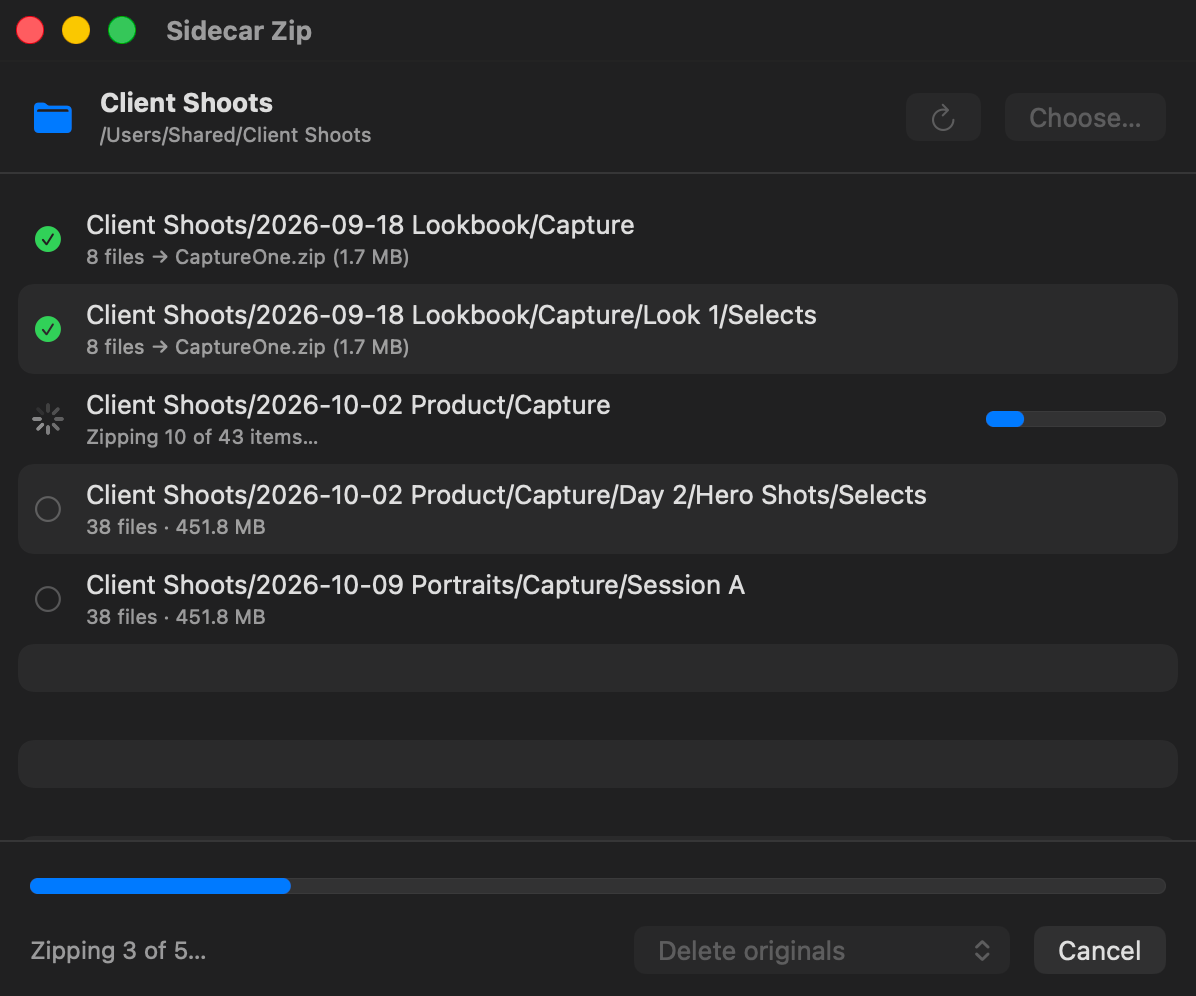
Zips each folder in place to CaptureOne.zip with the zip tool built into macOS, then tests the archive before moving on.
04
Clean Up
Deletes the original folder, moves it to the Trash or leaves it alone. Your call. Nothing gets removed unless its zip passed the test.
05
Errors & Retry
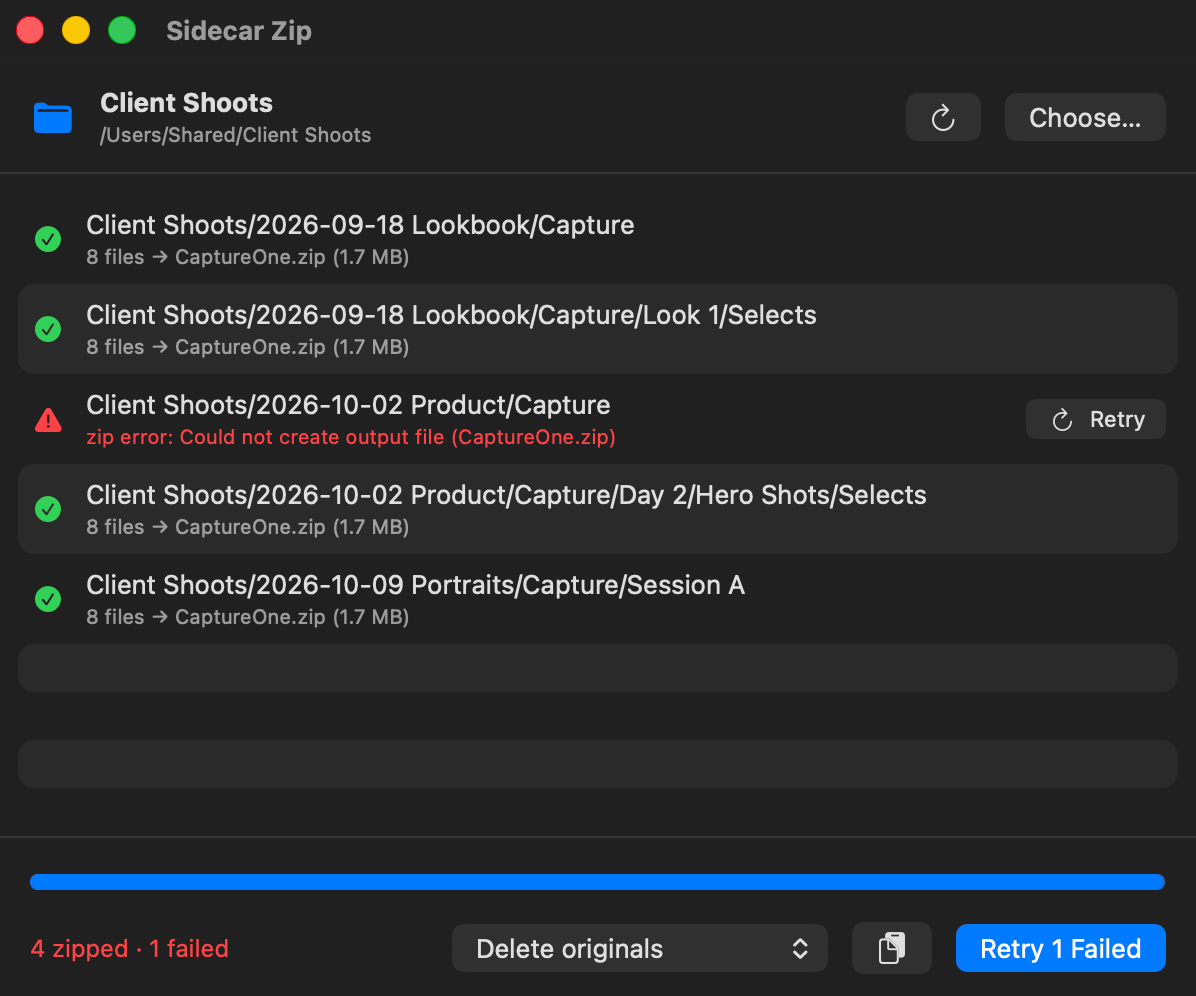
If a folder fails, the real error shows up on its row and the rest keep going. Fix the problem, then retry that one folder or every failed one at once.
06
Cancel Anytime
Hit Cancel or Esc and it stops right there. The folder it was working on stays exactly how it was, and anything already zipped stays zipped.
Screenshots
Requirements & Installation
Requires: macOS 14 Sonoma or later. Runs natively on Apple Silicon and Intel Macs.
Installation: Download the ZIP, unzip it and drag Sidecar Zip into your Applications folder. It isn’t notarized by Apple, so macOS will block it the first time. Open System Settings → Privacy & Security, scroll down and click Open Anyway. You only have to do that once.
Opening a session again: Unzip CaptureOne.zip (double-click works) before you or your client open that folder in Capture One. If Capture One gets to the folder first, it builds a fresh CaptureOne folder and the adjustments won’t show up.
Capture One Sidecar Zip is free and open source under the MIT license. Source code and release notes live on GitHub.