Keep Your Drives Clean, Automatically
Every time you plug in an external drive, macOS quietly starts building a Spotlight index on it — consuming disk I/O and storage you didn’t ask for. On busy shoot days with multiple drives coming in and out, that background churn adds up fast.
Spotlight Off sits quietly in your menu bar and handles it automatically. The moment a drive mounts, it detects it, checks whether indexing is running, and shuts it off — before Spotlight has a chance to dig in. No terminal commands, no manual steps, no remembering.
It’s a fork of the original titleunknown/Spotlight-Off, rebuilt with modern Swift concurrency, a redesigned tabbed settings UI, a color-coded activity log, and an exclusions system for drives you want to leave alone.

How It Works
When a volume mounts, Spotlight Off runs through a short, automatic sequence:
🔌
Detect
Watches for any external volume mounting. Skips root volumes, network drives, and disks you’ve added to the exclusions list.
⏱
Wait & Check
Waits 2.5 seconds for the volume to fully settle, then queries mdutil -s to confirm whether Spotlight indexing is currently active.
🚫
Disable
Runs mdutil -i off via osascript with administrator privileges — a one-time system prompt the first time it runs.
📋
Log
Records every action in a color-coded activity log — success in green, errors in red. The log persists across restarts and can be exported to a text file.
🕹
Exclusions
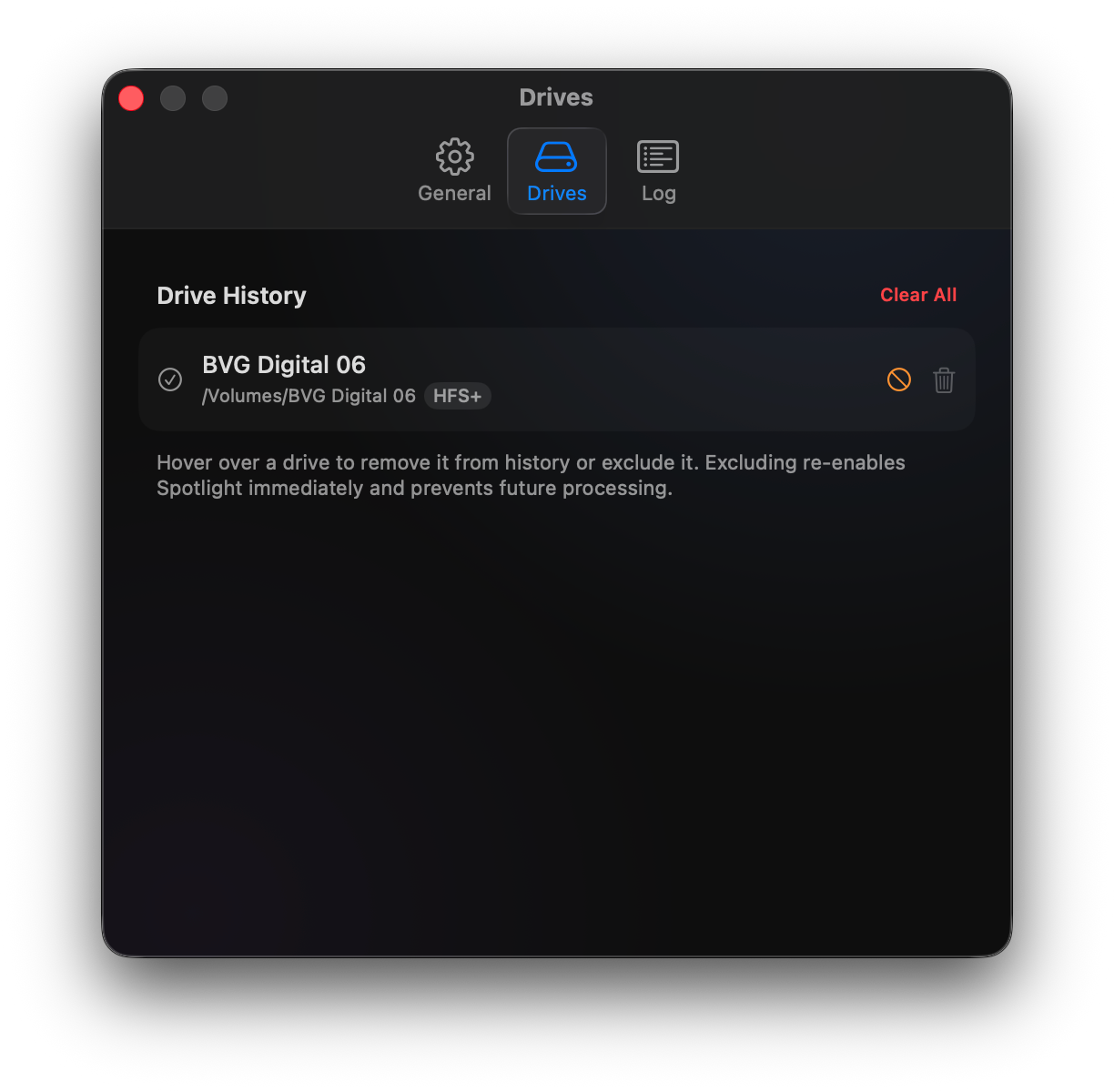
Right-click any drive in the Drives tab to add it to the exclusions list. Excluded drives are skipped permanently until you remove them.
🚀
Launch at Login
Enable launch at login in the General tab and it runs silently in the background — no dock icon, no window, just a menu bar indicator that it’s working.
Screenshots



Requirements & Installation
Requires: macOS 14 Sonoma or later, including macOS 26 Tahoe. Administrator access is needed once for the initial mdutil permission prompt.
Installation: Download the ZIP below, unzip it, and move Spotlight Off to your Applications folder. No Xcode or developer account required.
Full Disk Access: On first launch you’ll be prompted to grant Full Disk Access in System Settings → Privacy & Security. This is required for mdutil to work. When upgrading, remove and re-add the app in that list to rebind the permission to the new binary.
Spotlight Off is free and open source under the MIT license. Source code, release notes, and older versions are all available on GitHub.