Why I built it
At the end of every shoot someone asks whether every selected RAW made it to the output folder. Checking by hand means comparing folder counts and sorting by name, and it’s easy to miss one. Final Pass does that check for me, and it does the same for any two folders you give it.
Features
What it does.
Folder Comparison
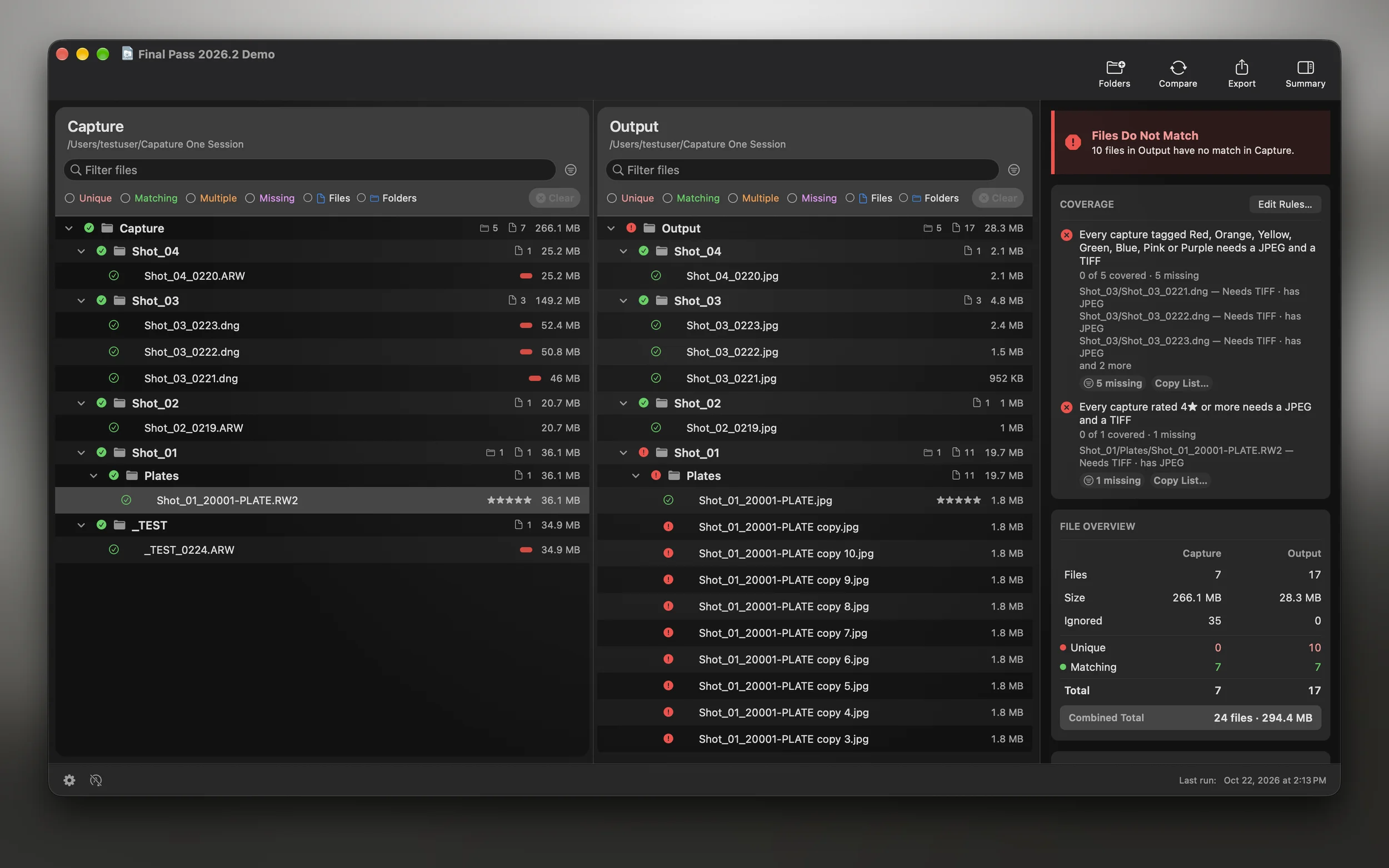
Compare any two folders, captures and exports or anything else, and see every file that’s missing or extra.
Familiar Interface
Works like a Finder list view, with the keyboard shortcuts you’d expect, and they work from macro controllers too.
Matching That Fits Real Deliveries
A JPEG and a TIFF of the same RAW count as one match. Same-name files from different cards are matched by sub-folder, and you can ignore name parts like _proof.
Coverage Rules
Tell Final Pass what each capture needs, like a JPEG for every 4 and 5 star image or a TIFF for every green. It shows what’s missing and why, and starter rules cover the common cases in one click.
Documentation & Reports
Export PDF, text, or CSV reports for records, client deliverables, or audit trails. Save your setup as a template. Reports name the ignore rules used, and PDF and text reports list any coverage gaps.
Stream Deck Integration
Bundled plugin with commands like Compare, Cancel, Set Folders, Filters, Export, and Auto Run. The Compare key counts up to 100% while it runs, and the keys act on the document you used last.
Menu Bar & Auto Run
A menu bar icon for one-click compare and document switching. Auto Run re-checks your folders on a schedule so results stay current during a shoot.
Ratings & Color Tags
Reads the star ratings and color tags you set in Capture One or Adobe Bridge, from RAW captures to JPEG, TIFF, HEIC, and PNG. Re-rate in Capture One and Final Pass catches it in seconds. Filter by either, or build coverage rules on them.
Multilingual
Ships in ten languages: English, Danish, German, Spanish, French, Italian, Dutch, Polish, Russian, and Turkish.
$10 one-time purchase through December 31 (regular price $15). Free 10-day trial. 3 Macs per license. Updates within the current major version typically included. See the full pricing details, the FAQ, or the Refund Policy.